
Category: Guides

  • How to Compare Product Specifications

    How to Compare Product Specifications

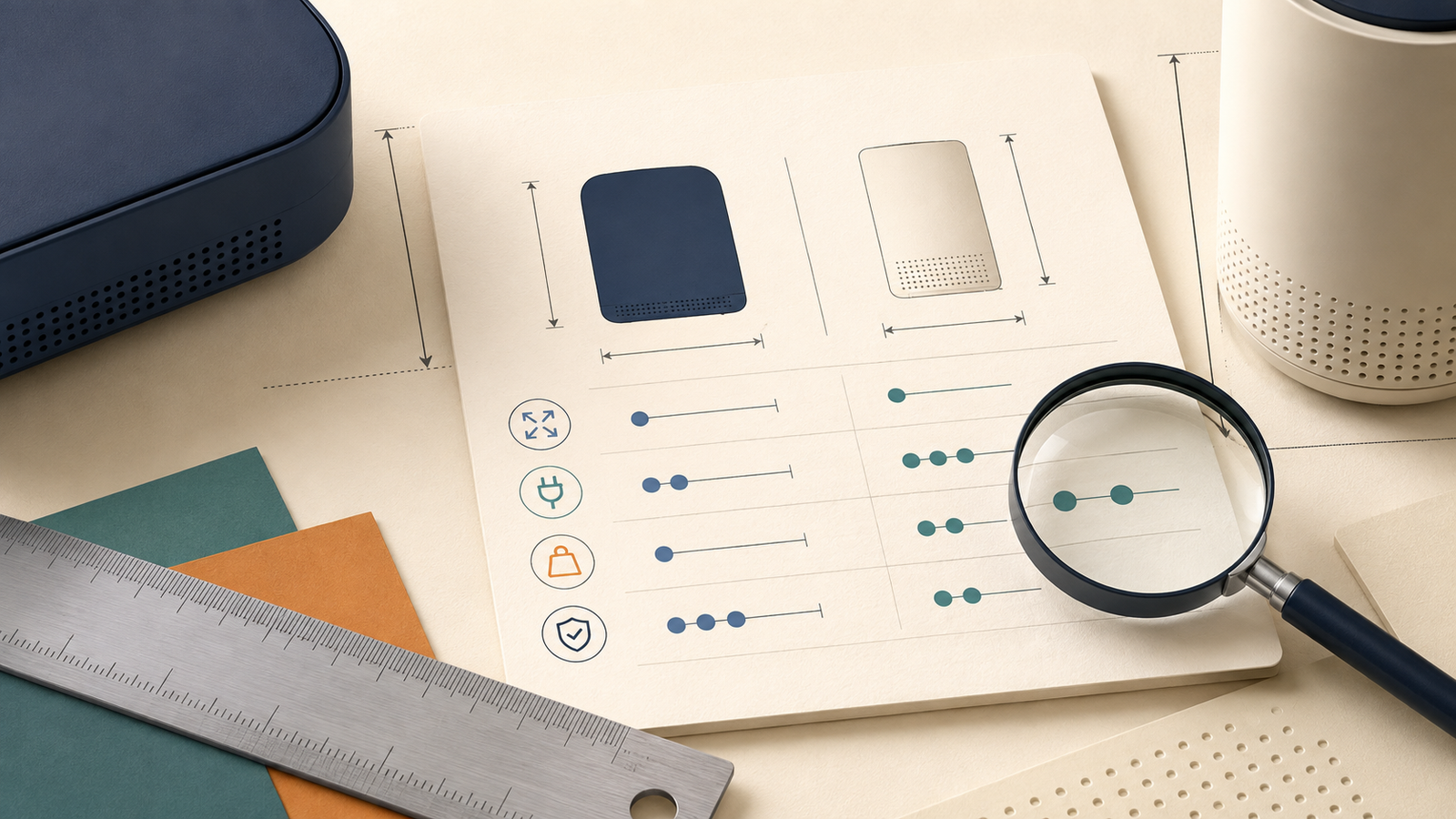
    Product specifications are useful only when you know what the numbers measure, whether the products are being described under the same conditions, and what the difference will change in everyday use.

    Last reviewed: August 21, 2026. Product details, model versions and specifications can change, so verify the current information before buying.

    Quick answer

    To compare product specifications, start with the exact model and version, put measurements into the same units, check the test conditions behind each number, and record the source. Then translate the important differences into practical questions such as whether the product will fit, last long enough, work with your existing equipment or require extra accessories. The biggest number is not automatically the best choice.

    Match the model

    Confirm the generation, size, capacity, region and bundle before comparing numbers.

    Normalize the data

    Use the same units and make a note of rated, peak, maximum or usable values.

    Check the source

    Use product pages, manuals and independent testing for different kinds of evidence.

    Think in real use

    Ask what each specification changes for your space, routine, workload or budget.

    What is a product specification?

    A product specification is a measurable or verifiable detail about a product. It may describe size, weight, capacity, power, storage, compatibility, materials or another technical characteristic.

    Specifications are not the same as features or marketing claims:

    • Specification: A measurable detail, such as dimensions, weight or storage capacity.
    • Feature: Something the product can do, such as fast charging or app control.
    • Marketing claim: A broad promise, such as “built for all-day use” or “professional performance”.

    All three can be useful, but they should not be compared in the same way. A specification needs a unit or clear definition. A feature needs a compatibility and use-case check. A marketing claim needs supporting evidence before it becomes a reason to buy.

    If you need the wider research process first, read How to Research a Product Before Buying.

    1. Match the exact model, version and bundle

    Start with the model number rather than the product family name. A single product line may include several generations, sizes, storage options or regional versions. Listings can look almost identical while describing different products.

    Before placing two products side by side, confirm:

    • Model number and generation;
    • Size, colour or capacity variant;
    • Storage, memory or configuration;
    • Region, voltage, plug type or wireless standard;
    • New, refurbished, used or open-box condition;
    • Included charger, adapter, case, attachments or software;
    • Warranty provider and coverage period.

    Do not compare a base model with a bundle and then describe the bundle as better value without accounting for what is included. If a retailer gives a product a shortened or informal name, use the manufacturer’s model code to check what it actually is.

    Good comparison habit: write the full model number at the top of your table. If you cannot identify the exact version, mark the specification as unverified instead of guessing.

    2. Put measurements into the same units

    Numbers are not comparable until their units are comparable. A product listed as 2 kilograms is not directly comparable with one listed as 70 ounces until you convert them to a common basis. The same problem appears with dimensions, capacity, storage and power.

    Depending on the product, you may need to standardize:

    • Weight: grams, kilograms or pounds;
    • Dimensions: millimetres, centimetres or inches;
    • Capacity: millilitres, litres, gallons or another stated volume;
    • Storage: gigabytes or terabytes;
    • Power and energy: watts, watt-hours or battery ratings;
    • Noise or performance: the same measurement scale and test method.

    Some units describe related but different things. For example, watts describe a rate of power, while watt-hours describe an amount of energy. A battery rating in milliamp-hours also needs context, such as voltage, before it can be used for a fair energy comparison.

    A comparison worksheet that normalizes product dimensions, weight and capacity into the same units
    Standardize the units before deciding which specification is larger or better.

    3. Check what each number actually measures

    A specification can look precise and still be easy to misunderstand. Read the words around the number, not just the number itself.

    WordingQuestion to ask
    RatedIs this the normal level the product is designed to sustain?
    Peak or maximumIs this an upper limit that may only occur briefly or under specific conditions?
    NominalIs this a stated or labelled value rather than the amount available in normal use?
    UsableDoes this describe the amount you can actually access or use?
    Up toWhat conditions are required to reach the advertised maximum?
    TypicalHow was the typical result measured, and does it match my use?

    Also check the footnotes. Runtime may depend on brightness, workload or connection settings. Performance may depend on temperature, load or the accessory being used. A maximum value can tell you what a product may reach; it does not automatically tell you what it will deliver every day.

    Be careful with “up to” claims: treat them as a stated ceiling, not a promise that every buyer will achieve the same result.

    4. Build a comparison table with context

    Once the products and units are matched, record the information in one table. The useful table is not necessarily the longest one. It is the one that connects each specification to a source and a practical consequence.

    Specification Product A Product B Unit or condition What it changes for me
    Model and versionExact modelExact modelGeneration / regionConfirms that the products are comparable.
    DimensionsRecord valueRecord valueSame unitWhether it fits the space I have.
    WeightRecord valueRecord valueSame unitWhether it is practical to carry or move.
    Capacity or storageRecord valueRecord valueUsable or stated?Whether it covers my normal workload.
    Power or batteryRecord valueRecord valueRated / peak / test conditionWhether it meets my usage and setup.
    CompatibilityPorts / standardsPorts / standardsRequired accessoriesWhether it works with what I already own.
    Source and dateLink + dateLink + dateOfficial / independentShows how confident I should be.

    Record the raw value first and your interpretation second. That small separation makes it easier to notice when a conclusion is based on a personal preference rather than a product fact.

    5. Translate specifications into everyday use

    A specification only matters because it may change the way you use the product. After recording a difference, turn it into a practical question:

    • Will it fit on the shelf, desk or storage area where I plan to use it?
    • Will I be comfortable carrying or moving it?
    • Will the capacity cover my normal routine rather than an unusual best-case day?
    • Will it work with my existing devices, connectors, software or power supply?
    • Will the difference affect maintenance, noise, energy use or replacement costs?
    • Will I need to buy an accessory that the other product includes?
    If portability matters: compare total weight, external dimensions, packed size and how often you will need to move the product.
    If capacity matters: check whether the listed capacity is usable, expandable or reduced by the way the product is configured.
    If compatibility matters: compare ports, standards, voltage, operating systems and included adapters—not just the headline feature.
    If performance matters: check the workload and test conditions behind the number before assuming the difference will be noticeable.

    This is where a good specification comparison becomes useful buying advice. It does not simply repeat the product page; it explains what the difference is likely to mean for the person who will use the product.

    A shopper checking whether a product's published dimensions will fit on a shelf at home
    The best specification is the one that helps answer a real question about your space, routine or compatibility.

    6. Verify specifications across reliable sources

    Different sources are useful for different questions. The product page may tell you what the manufacturer claims. A manual may clarify compatibility and limits. Independent testing may reveal how a product performs under a particular workload.

    SourceUseful forLimit to remember
    Manufacturer pageOfficial model details, dimensions, features and stated specifications.Promotional wording may focus on ideal conditions.
    Official manual or data sheetCompatibility, operating limits, setup and warranty details.May describe a specific region or product version.
    Independent testingMeasured performance, usability and limitations.Check the testing method, date and sample configuration.
    Retailer listingCurrent price, availability, delivery and included bundle.Product information can be copied incorrectly or become outdated.
    Owner reviewsRecurring frustrations, long-term issues and support experience.Useful for patterns, not precise technical measurements.

    If two sources disagree, do not average the numbers. First check the model number, region, release date, measurement type and test conditions. If the conflict affects your decision and cannot be resolved, treat it as uncertainty and contact the manufacturer or choose the option with clearer documentation.

    7. Compare the specifications that affect your decision

    It is easy to create a table with twenty rows and still fail to answer the buying question. Choose specifications based on how you will use the product.

    Must-have

    The product must meet this requirement. Examples include compatibility, a maximum size, a minimum capacity or a required safety feature.

    Useful

    This would improve the experience, but you should not accept a serious compromise elsewhere just to get it.

    Nice-to-have

    This may be attractive, but it should not control the decision unless it solves a real problem in your routine.

    Deal-breaker

    This removes the product from consideration even if another specification looks impressive.

    For a deeper guide to prioritising technical criteria, continue with How to Compare Specifications That Actually Matter.

    Common product specification mistakes

    Stronger comparisons

    • Use the same model level and units.
    • Record test conditions and source dates.
    • Separate the raw number from your interpretation.
    • Translate important differences into actual use.
    • Investigate missing or conflicting information.

    Misleading comparisons

    • Assume the highest number always wins.
    • Compare a peak value with a rated value.
    • Treat “up to” as a guaranteed result.
    • Ignore included accessories or compatibility.
    • Let one impressive specification decide everything.

    Another common mistake is treating a specification as a direct measure of quality. A product can have impressive numbers and still be awkward to use, difficult to repair, poorly supported or unsuitable for your environment. Specifications describe parts of a product; they do not describe the whole ownership experience.

    A 10-minute product specification comparison workflow

    When you need a clear shortlist without turning the purchase into a research project, use this process:

    1. Minutes 1–2: Write down how you will use the product and three must-have requirements.
    2. Minutes 3–4: Confirm the exact model, generation, size, region and bundle for each option.
    3. Minutes 5–6: Copy only the relevant specifications into one comparison table.
    4. Minutes 7–8: Convert units and label rated, peak, maximum, usable or “up to” values.
    5. Minute 9: Check the manufacturer page, manual or reliable independent source for the differences that matter most.
    6. Minute 10: Write one practical consequence for each important difference, then remove products that fail a must-have.

    The goal is not to eliminate every uncertainty. It is to catch the differences most likely to create an expensive, incompatible or frustrating purchase.

    The bottom line

    To compare product specifications properly, compare the meaning behind the numbers—not just the numbers themselves. Start with the exact models, standardize the units, check the conditions, verify the source and connect each important difference to your actual use.

    A higher specification may be useful, but only when it solves a problem you really have. The right product is the one that meets your important requirements with the fewest serious downsides, not necessarily the one with the longest specification list.

    The practical rule

    Ask three questions for every important specification: What does it measure? Is it being compared under the same conditions? What will it change for me?

    Frequently asked questions

    What is the difference between a product feature and a specification?

    A specification is usually a measurable or verifiable detail, such as weight, dimensions or capacity. A feature describes something the product can do, while a marketing claim is a broader promise that may need supporting evidence.

    Is a higher specification always better?

    No. A higher number may be useful for one type of user and unnecessary for another. It may also come with extra cost, size, energy use or complexity. Compare the specification with your actual requirements.

    How do I compare specifications from different brands?

    Confirm that the products are designed for the same use, identify the exact models, convert the measurements to the same units and check whether the brands used the same test conditions. Then translate the important differences into practical consequences.

    What should I do if two product pages show different specifications?

    Check the model number, region, generation, publication date and measurement type. Look in the official manual or data sheet. If the conflict remains and affects your decision, contact the manufacturer instead of guessing or averaging the values.

    Which product specifications matter most?

    The most important specifications are the ones connected to your must-have requirements, such as compatibility, dimensions, capacity, weight, operating limits or maintenance needs. The answer depends on how and where you will use the product.

    Can product specifications predict product quality?

    They can describe important parts of a product, but they cannot fully predict durability, usability, support or long-term reliability. Use specifications alongside independent testing, recurring owner feedback, warranty terms and seller support.


    Continue your product research

  • How to Compare Products Online

    How to Compare Products Online

    Comparing products online is easier when you use the same criteria for every option instead of jumping between random specifications, reviews and prices.

    Last reviewed: August 21, 2026. Prices, product versions and retailer policies can change, so verify current details before buying.

    Quick answer

    To compare products online, start with products that solve the same problem, decide what matters before looking for a winner, compare verified information side by side, and include the total cost, warranty, seller and long-term ownership experience. The best option is not always the cheapest or the one with the longest specification list.

    Start with

    A shortlist of products that genuinely fit the same use case.

    Compare

    The same criteria, versions, prices, accessories and conditions for every option.

    Verify

    Official specifications, independent reviews, seller terms and ownership costs.

    Decide by

    Overall fit and acceptable trade-offs—not a single score or the lowest price.

    What does it mean to compare products online?

    Comparing products online does not mean finding the product with the highest rating, the lowest price or the largest number in a specification sheet. It means putting several realistic options through the same decision process and recording where each one is stronger, weaker or simply different.

    A fair comparison should answer practical questions:

    • Do these products solve the same problem?
    • Are they being compared at the same level of configuration?
    • Which differences will affect my actual use?
    • What will each product cost beyond the checkout price?
    • What happens if the product arrives faulty or becomes difficult to use?

    The goal is not to declare one product universally best. The goal is to understand the trade-offs well enough to choose the option that fits your own priorities.

    If you are still deciding which products deserve to be on your shortlist, start with How to Research a Product Before Buying.

    1. Start with products that are genuinely comparable

    The first comparison mistake often happens before the comparison begins. People place products in the same table simply because they appear in the same search results. That does not mean they are interchangeable.

    Before comparing, check whether the products have:

    • The same general purpose;
    • A similar size, capacity or performance class;
    • A comparable intended user;
    • Similar compatibility requirements;
    • A realistic place in the same budget range.

    For example, a compact entry-level product and a professional model may both appear under the same category, but they may be designed for completely different workloads. Comparing them only by price or headline performance will produce a misleading conclusion.

    2. Decide what matters before looking for a winner

    Choose your comparison criteria before reading rankings or deciding which product feels most impressive. Otherwise, the first attractive feature you see may quietly become the standard for the entire comparison.

    Divide your criteria into three groups:

    • Must-have: A requirement the product cannot fail.
    • Nice-to-have: Useful, but not worth a major compromise.
    • Deal-breaker: A problem that removes the product from consideration.

    Your priorities may be different from another shopper’s. One person may care most about low upfront cost. Another may use the product every day and care more about durability, support or repairability. A product comparison is only useful when the criteria reflect the person who will own the product.

    Simple rule: if you cannot explain why a comparison criterion matters to your use, it probably should not control the decision.

    3. Compare like with like

    Two products can look cheaper or better only because they are being listed under different conditions. Before filling in your comparison table, normalize the details that can distort the result.

    Check whether you are comparing the same:

    • Model year or generation;
    • Storage, capacity or memory;
    • Colour or size variant, when it changes the price;
    • Included accessories and bundled services;
    • Warranty length and warranty provider;
    • Delivery, installation or setup terms;
    • Currency, region and retailer conditions.

    A lower price may simply mean fewer accessories, a shorter warranty or a different version of the product. Record those differences instead of treating the displayed prices as directly comparable.

    A shopper comparing two product pages side by side while checking model details, price and included accessories
    Before comparing features, make sure the products and purchase conditions are actually equivalent.

    4. Build one comparison table

    Do not rely on memory while switching between browser tabs. Put the information in one table so that every product is judged against the same questions.

    CriterionProduct AProduct BProduct C
    Meets my must-haves?Yes / NoYes / NoYes / No
    Current priceRecord price and dateRecord price and dateRecord price and date
    Important specificationExact valueExact valueExact value
    Included accessoriesList what is includedList what is includedList what is included
    Warranty and returnsShort noteShort noteShort note
    Expected ownership costPrice + extrasPrice + extrasPrice + extras
    Main concernOne clear concernOne clear concernOne clear concern
    Best fitWho it suitsWho it suitsWho it suits

    Keep each cell short. The table is not meant to contain every fact you can find. It is meant to make the differences that affect your decision visible.

    5. Verify the information behind each claim

    Different sources are useful for different types of information. Treating every source as equally reliable is one of the easiest ways to build a comparison table on weak evidence.

    SourceBest for checkingWhat to watch for
    ManufacturerOfficial specifications, dimensions, compatibility and warranty wording.Marketing claims may describe ideal conditions.
    Independent reviewPerformance, usability, limitations and testing observations.Check the method, date and sponsorship.
    Owner feedbackLong-term problems, daily frustrations and support experience.One extreme review is not a complete pattern.
    RetailerCurrent price, stock, delivery, bundle and return terms.Listings can contain errors or outdated specifications.

    Use the manufacturer’s page to confirm what the product is supposed to be. Use independent reviews and owner feedback to understand what ownership may actually feel like. For more detail on specifications, see How to Compare Product Specifications.

    6. Compare the specifications that affect your use

    Do not copy every specification into the table. Choose the few that connect directly to your must-have requirements.

    For each number or technical term, ask:

    1. What does this specification measure?
    2. Does it change how I will use the product?
    3. Is the difference large enough to notice or justify the price?

    A larger number is not automatically a better experience. More power may mean more noise or energy use. More storage may be unnecessary. A higher resolution may matter for cropping but not for the way you normally view the product.

    Use How to Compare Specifications That Actually Matter when you need to translate technical differences into practical consequences.

    7. Compare the full cost, not only the checkout price

    The first price you see is often the easiest number to compare, but it is not always the most useful one. Add the costs that are likely to appear during ownership.

    • Required accessories or adapters;
    • Delivery, installation or setup;
    • Subscriptions, software or app fees;
    • Consumables, filters, batteries or replacement parts;
    • Energy use and routine maintenance;
    • Potential repairs and support costs.

    A product that costs less today may cost more over several years. That does not mean the most expensive option is automatically the best value. It means the price should be judged alongside how often you will use the product and what it requires to keep working.

    Read What Is Total Cost of Ownership? and How to Calculate the Real Cost of Owning a Product for the full calculation.

    8. Compare the seller, warranty and return policy

    The same model can be a better or worse purchase depending on where you buy it. Include the seller in the comparison instead of treating the retailer as an afterthought.

    Check:

    • Whether the seller is authorised or reputable;
    • Delivery cost and estimated delivery time;
    • Whether returns cover change of mind as well as faults;
    • Who pays return shipping;
    • Who handles warranty claims;
    • Whether proof of purchase is required;
    • How repairs, replacements or refunds are handled.

    A warranty and a return policy are not the same thing. A return policy may allow you to send back an unsuitable product, while a warranty usually describes what happens when the product develops a covered fault.

    See How to Read a Product Warranty before treating a longer warranty as an automatic sign of better quality.

    A comparison worksheet beside a warranty document and calculator for checking the full cost of buying a product
    The purchase decision includes the seller, warranty, return process and costs that appear after checkout.

    9. Use reviews to test your comparison table

    Once your table is mostly complete, use reviews to challenge it. Do not read reviews only to confirm the product you already prefer.

    Search the product name with terms that match your concerns:

    • common problems
    • long-term review
    • replacement parts
    • compatibility
    • noise, overheating or leak
    • return or warranty claim

    Look for repeated patterns across sources. One negative review may describe a defective unit or an unusual use case. The same problem appearing in independent reviews, owner discussions and long-term testing deserves more weight.

    For a detailed reliability checklist, read How to Tell Whether an Online Review Is Trustworthy.

    10. Make the decision from trade-offs

    At the end of the comparison, do not force every product into one overall score. A single score can hide the reason one product is better for one person and worse for another.

    Best overall fit: The product that meets the most important requirements with no serious deal-breakers.
    Best value for a specific user: The option that gives one type of shopper the right balance of price, performance and ownership cost.
    Best if one priority matters most: The product that wins a particular category, such as portability, capacity, durability or support.

    For example, Product A may have the lowest upfront price. Product B may be better for frequent users because it is easier to maintain. Product C may only make sense if its premium feature is important to your workflow.

    If you are comparing only two final options, continue with How to Compare Two Products Fairly.

    Common comparison mistakes

    Stronger comparisons

    • Use the same criteria for every product.
    • Record model, version and price date.
    • Separate facts from personal priorities.
    • Include warranty, returns and ownership cost.

    Weak comparisons

    • Compare different versions without noticing.
    • Let the lowest price decide everything.
    • Copy a ranking without checking its criteria.
    • Use one review or one score as the final answer.

    Other common mistakes include buying the premium model “just in case”, ignoring the cheapest option before checking its actual fit, and continuing to research after the important trade-offs are already clear.

    A 15-minute product comparison workflow

    When you need a practical answer rather than an exhaustive investigation, use this process:

    1. Minutes 1–2: Write three must-haves and one deal-breaker.
    2. Minutes 3–4: Confirm that the products are genuinely comparable.
    3. Minutes 5–7: Record price, version, key features and included accessories.
    4. Minutes 8–10: Check the most important review patterns and ownership concerns.
    5. Minutes 11–13: Compare warranty, returns, delivery and additional costs.
    6. Minutes 14–15: Write who each product is best for and choose the lowest-risk fit.

    The purpose of this workflow is not to remove every possible uncertainty. It is to catch the differences most likely to cause an expensive or frustrating mistake.

    The bottom line

    To compare products online properly, make the comparison consistent before you make it detailed. Start with products that solve the same problem, decide what matters, normalize their versions and purchase conditions, and record the evidence in one table.

    Then look beyond the specification sheet. Compare reviews, seller support, warranty, returns and the full cost of ownership. The winning product is usually not the one that has the biggest number in every row. It is the one that fits your priorities with the fewest serious downsides.

    The practical rule

    Use the same questions for every product, but allow the answer to depend on your own priorities. A fair comparison creates clarity; it does not pretend that one product is perfect for everyone.

    Frequently asked questions

    How many products should I compare online?

    Three to five realistic options are usually enough. More options often add noise unless they represent genuinely different solutions to the same problem.

    What is the best way to compare products?

    Choose your criteria first, confirm that the products are comparable, then record the same information for each option in one table. Include price, important features, reviews, warranty, returns and ownership cost.

    Should I compare price or features first?

    Start by checking whether each product meets your essential requirements. Then compare price and value. A cheap product that fails a must-have is not a useful bargain.

    How do I compare different versions of the same product?

    Check the exact model, generation, capacity, storage, included accessories, warranty and region. Do not assume two similarly named listings contain the same product.

    Is the cheapest product usually the best value?

    No. The cheapest product may require extra accessories, have a shorter warranty or cost more to maintain. Compare the full ownership cost and how well it fits your actual use.

    How do I know whether two products are comparable?

    Confirm that they solve the same problem for a similar user and workload. If one product is designed for occasional basic use and the other for professional work, explain that difference instead of treating them as direct substitutes.

    Continue your product research

  • How to Research a Product Before Buying

    How to Research a Product Before Buying

    A practical way to decide whether a product is right for you without opening dozens of tabs, trusting one review, or paying for features you will never use.

    Last reviewed: August 21, 2026. This is an evergreen buying guide; product prices, policies and specifications can change.

    Quick answer

    To research a product before buying, first define what you need it to do, then shortlist a few suitable options. Check the specifications that affect your use, read independent reviews for real-world performance, and compare the full cost of ownership, warranty and return policy. Stop when one product clearly fits your needs and the remaining differences are unlikely to change your decision.

    Start with

    Your actual use case, budget, space limits and three or four must-have requirements.

    Compare

    A shortlist of three to five products rather than every option on the market.

    Check carefully

    Important specifications, independent review patterns, warranty, returns and ownership costs.

    Stop when

    One option meets your essential requirements and the remaining trade-offs are understood.

    A shopper researching a product on a laptop while comparing notes, prices and features before buying
    Good product research starts with a clear decision, not an endless list of tabs.

    Who this guide is for

    This guide is for anyone who wants to make a more confident purchase of a product such as a laptop, phone, appliance, camera, tool, fitness device or piece of home equipment. It is especially useful when several products look similar, the price difference is significant, or the product will be expensive or inconvenient to replace.

    It is not a list of products to buy. The better question is not “Which product has the highest rating?” It is “Which product is most likely to work well for the way I will actually use it?”

    1. Define the decision before you search

    Product research becomes difficult when you start with a broad search such as “best laptop” or “best air fryer”. Those searches mix together different budgets, priorities and use cases. Before looking at products, write down the decision you are trying to make.

    Answer these questions in plain language:

    • What job must the product do?
    • How often will I use it?
    • Where will I use it, and are there space, power or compatibility limits?
    • Which features are essential?
    • Which inconveniences would make me regret the purchase?
    • What is the maximum amount I am comfortable spending?

    Separate your requirements into three groups: must-have, nice-to-have and irrelevant. This prevents an impressive extra feature from distracting you from a basic problem, such as poor size, weak battery life, difficult maintenance or an unsuitable connection.

    2. Set a realistic budget, not just a sticker price

    The advertised price is only the starting point. Depending on the product, you may also pay for accessories, delivery, installation, subscriptions, replacement parts, filters, batteries, software, electricity or repairs.

    Decide whether your budget is a hard limit or a target range. A slightly more expensive product can be the better choice if it lasts longer or avoids a necessary add-on. On the other hand, a premium model is not automatically better value if you will not use its additional features.

    For a more detailed method, see What Is Total Cost of Ownership? and How to Calculate the Real Cost of Owning a Product.

    3. Build a shortlist of three to five products

    You do not need to compare every product on the market. A shortlist of three to five realistic options is usually enough to see the meaningful differences without creating decision fatigue.

    Start with products that meet your must-have requirements. Remove any option that fails a deal-breaker, even if it has excellent reviews. There is no point comparing a product that is too large, incompatible with your existing setup or outside your budget.

    When building the shortlist, use more than one type of source. A manufacturer’s website can help you find the official range. A specialist retailer can show current prices and availability. Independent reviews can reveal how the product performs outside controlled marketing claims.

    Once you have a shortlist, use How to Compare Products Online to keep the comparison focused on the options that actually fit your needs.

    A product research worksheet comparing a shortlist by price, important features, warranty and ownership needs
    A short list makes it easier to compare evidence instead of collecting endless opinions.

    4. Compare the specifications that affect your use

    Specifications are useful, but only when you understand what they change in practice. A larger number is not always a better result. More power may mean more noise, a heavier design or higher energy use. More storage may be unnecessary if you mostly stream or use cloud storage.

    For every important specification, ask two questions:

    1. What does this specification measure?
    2. How will the difference affect my actual use?

    Focus on the specifications connected to your must-have requirements. Depending on the category, these might include size, capacity, battery life, power, compatibility, materials, connectivity, noise, water resistance or supported formats.

    If you are unsure which numbers matter, read How to Compare Product Specifications and How to Compare Specifications That Actually Matter.

    5. Check the official product information

    Before relying on a review or retailer summary, check the manufacturer’s product page and, when available, the user manual. This is where you are most likely to find the exact dimensions, compatibility limits, included accessories, operating requirements and warranty terms.

    Look for details that are easy to miss in a headline:

    • Does the advertised performance depend on a particular mode or accessory?
    • Is the stated capacity measured under conditions that may not match your use?
    • Are important accessories sold separately?
    • Does the product need a subscription, app, account or particular operating system?
    • Are there installation, maintenance or storage requirements?

    Marketing language often describes the best possible result. The manual and technical specifications help you understand the conditions behind that result.

    6. Read reviews for patterns, not isolated opinions

    Reviews are most useful when they add evidence that a product page cannot provide: how easy the product is to use, whether it performs consistently, what becomes annoying after repeated use, and how well it holds up over time.

    Do not make a decision from one enthusiastic review or one angry complaint. Instead, look for repeated observations across several independent sources. A single negative comment may describe a faulty unit or a very specific use case. The same complaint appearing across many reviews deserves more attention.

    Also check how the review was produced. Does it explain the testing method? Does it mention limitations? Does it separate the reviewer’s opinion from measurable results? Is the review clearly sponsored or based only on a short first impression?

    For a deeper checklist, see How to Tell Whether an Online Review Is Trustworthy.

    7. Investigate the ownership experience

    A product can look excellent at checkout and become frustrating later. Research the parts of ownership that are easy to ignore while you are focused on the initial price.

    • Maintenance: How often does it need cleaning, calibration, updates or replacement consumables?
    • Durability: Are there repeated reports of a particular component failing?
    • Repair: Can the product be repaired, and are parts or service available?
    • Compatibility: Will it continue to work with your other devices or software?
    • Energy use: Could regular use materially affect your power bill?
    • Support: Is there a clear way to get help if something goes wrong?

    For products that remain connected to power, it can also help to understand what energy efficiency actually means and what standby power is.

    8. Read the warranty and return policy before buying

    A warranty is not the same as a promise that every problem will be easy to fix. Check who provides the warranty, how long it lasts, what it covers, and what the customer must do to make a claim.

    Pay attention to exclusions, proof-of-purchase requirements, shipping responsibilities and whether the seller or manufacturer handles the claim. Also check the retailer’s return policy separately. A return policy may cover a change of mind, while a warranty usually deals with a fault or failure under defined conditions.

    These details matter most when the product is expensive, difficult to transport or likely to need support. Our guide on How to Read a Product Warranty explains what to look for.

    9. Check for category-specific risks

    Every product category has problems that a general star rating may hide. Before buying, search for the product name together with specific terms such as “common problems”, “long-term review”, “replacement parts”, “compatibility”, “noise”, “leak”, “overheating” or “return”. Use terms that match the way you plan to use the product.

    Consider the environment as well. For outdoor or water-exposed equipment, an IP rating may be important, but the rating only makes sense when you know what its two numbers represent. See What Is an IP Rating? before treating it as a simple quality score.

    If you are considering refurbished stock, research the seller’s grading system, testing process, included warranty and return terms. A lower price is not enough by itself. Read How to Buy Refurbished Products Safely for a separate checklist.

    10. Put the evidence into a simple comparison table

    Once you have gathered the information, stop browsing and write it down. A comparison table makes trade-offs visible and reduces the influence of whichever product you looked at most recently.

    QuestionProduct AProduct BProduct C
    Meets my must-haves?Yes / NoYes / NoYes / No
    Important specificationNote the resultNote the resultNote the result
    Total expected costPrice + extrasPrice + extrasPrice + extras
    Main concernWrite one concernWrite one concernWrite one concern
    Why it fits my useOne-sentence reasonOne-sentence reasonOne-sentence reason

    Keep the notes short. If you need a paragraph to explain why a product is suitable, you may still be missing a clear decision criterion. When the table is complete, compare the products fairly rather than letting one impressive feature dominate the result. How to Compare Two Products Fairly can help with that final step.

    Common mistakes to avoid

    Better research habits

    • Start with a specific use case and a short list.
    • Compare official, independent and owner evidence.
    • Check the full ownership cost before deciding.
    • Look for repeated patterns rather than isolated comments.

    Habits that create bad decisions

    • Copying the ranking from a generic “best” list.
    • Comparing numbers without understanding their effect.
    • Trusting star ratings or one review alone.
    • Researching forever after the key trade-offs are clear.
    • Ignoring the cheapest option until the end: A basic model may be enough if it meets every must-have.
    • Buying the premium model “just in case”: Extra features have value only when you will use them.
    • Forgetting the seller: Price, delivery, support, returns and warranty handling can differ between retailers.

    A practical 15-minute product research process

    When you do not need an exhaustive investigation, use this shorter version:

    1. Minutes 1–2: Write your use case, budget and three must-have requirements.
    2. Minutes 3–5: Find three products that meet those requirements.
    3. Minutes 6–9: Compare the few specifications that affect your use.
    4. Minutes 10–12: Look for repeated review complaints and long-term ownership issues.
    5. Minutes 13–15: Check the total cost, warranty, return policy and seller support.

    This process is designed to catch the expensive or frustrating problems that a product page is least likely to highlight.

    When should you stop researching?

    Stop when you have enough evidence to answer four questions:

    1. Does the product meet every essential requirement?
    2. Do I understand the most important trade-offs?
    3. Can I afford the full cost of owning it?
    4. What will I do if it arrives faulty or does not suit my use?

    If two products are still close after a reasonable comparison, choose the one with the better fit, clearer support or lower downside. You do not need to prove that it is the objectively best product for everyone. You only need enough evidence that it is a sensible choice for you.

    The bottom line

    Good product research is a decision process, not a race to collect the most information. Define your needs first, create a short list, check the specifications that matter, look for patterns in independent reviews, and include the costs and risks of ownership. Then make the decision before research turns into hesitation.

    A product is a good buy when it fits your real use, budget and tolerance for inconvenience. It does not have to win every category on paper.

    A shopper making a final product choice after comparing three options, important features, ownership cost and warranty
    The goal of research is a confident decision that fits your own priorities.
    The practical rule

    Choose the product that meets your essential requirements with the fewest serious downsides. You do not need the product with the longest specification sheet or the highest average rating.

    Frequently asked questions

    How many products should I compare before buying?

    Three to five realistic options are usually enough. Start by removing products that fail a must-have requirement, then compare the remaining options using the same criteria.

    Should I trust product review ratings?

    Ratings are useful as a starting signal, but not as a final decision. Read the review content, check whether the reviewer explains the testing method and look for repeated patterns across independent sources.

    What should I check besides the product price?

    Check required accessories, delivery, installation, subscriptions, consumables, energy use, maintenance, repair costs, warranty and the retailer’s return policy.

    Are product specifications enough to choose between two products?

    No. Specifications describe measurable features, but they may not show usability, noise, durability, customer support or how the product behaves in your real environment.

    When should I stop researching?

    Stop when one option meets your essential requirements, you understand the important trade-offs, you can afford the full ownership cost and you know what support is available if something goes wrong.

    Continue your product research