
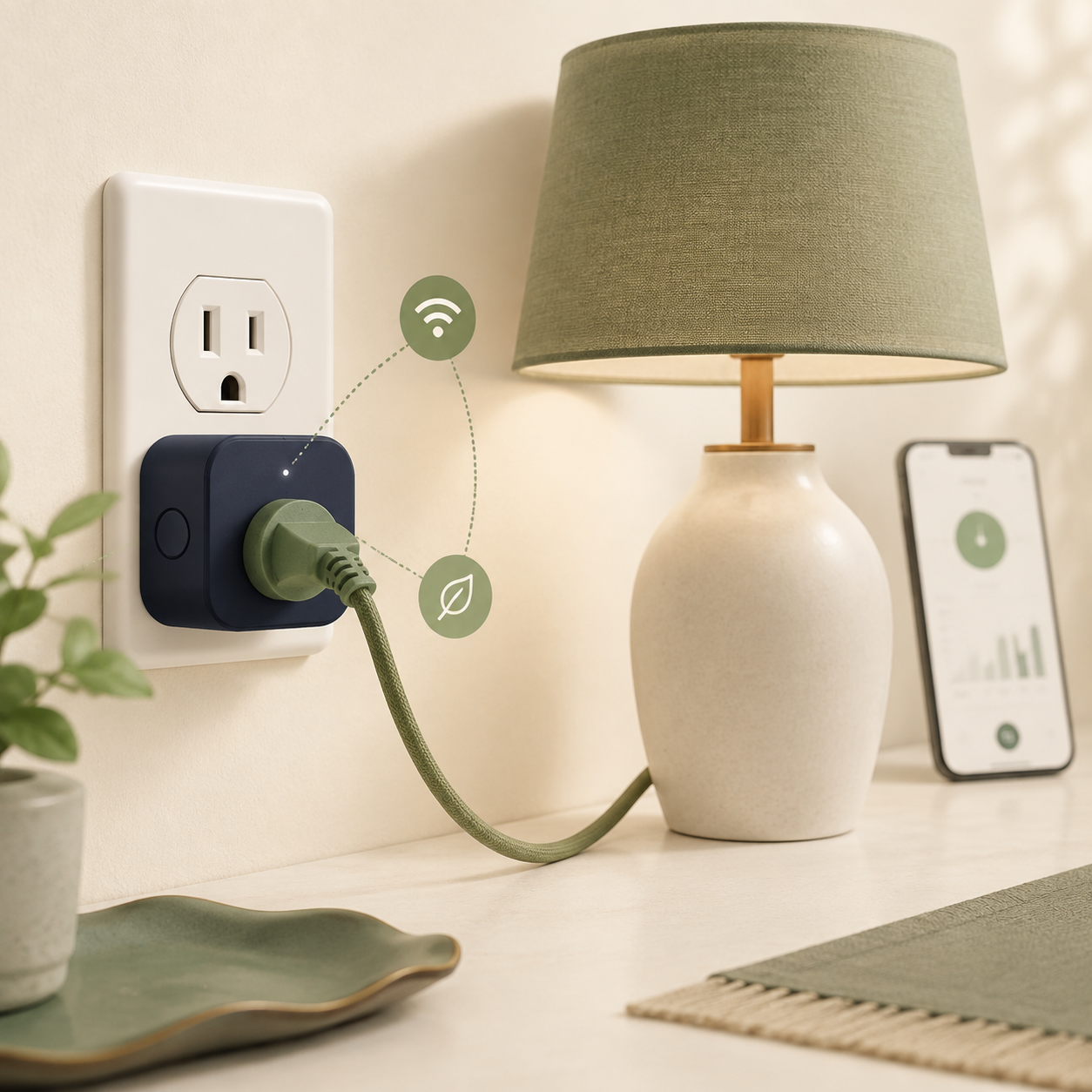
A smart plug turns an ordinary appliance into a remotely controlled one. It can add schedules, timers and sometimes energy monitoring, but it does not magically make every appliance smart or automatically lower your electricity bill.
Last reviewed: August 23, 2026. Smart-home features, app support and electrical requirements vary by product and country, so check the current specifications before buying.
A smart plug is a small connected outlet that sits between a wall socket and an appliance. You can usually switch the appliance on or off from an app, set a schedule or use an automation. Some models also estimate or measure electricity use. The plug controls the appliance’s power; it does not replace the appliance’s own controls, safety systems or built-in smart features.
It controls power
The plug acts like a remotely controlled switch between the wall outlet and the appliance.
It needs its own power
The smart plug must remain connected so its electronics can listen for commands and run schedules.
Some models measure use
Energy-monitoring models can show power or energy data in an app, but readings are not identical across products.
It has limits
It cannot add features the appliance does not support, and it is not automatically suitable for high-power loads.
What does a smart plug do?
A smart plug gives you control over the electricity supply to an ordinary plug-in appliance. Instead of reaching for the wall switch, you can use an app, a timer, a voice assistant or a home automation routine, depending on the model and the ecosystem it supports.
For example, you could schedule a lamp to turn on in the evening, switch off a desk setup at bedtime or check whether a device has been left on. Some smart plugs also show an estimate of the appliance’s electricity use. The Centre for Sustainable Energy describes smart plugs as devices that can control connected appliances and monitor their consumption through a phone app.
The important distinction is that a smart plug usually controls the power supply rather than communicating with the appliance’s internal software. That makes it useful for simple devices, but it also explains why the result depends on how the appliance behaves when power is restored.

How does a smart plug work?
Inside the casing is a switching component, a small control circuit and a wireless connection. The plug receives a command from an app or automation service, then changes whether electricity can pass through to the appliance.
1. The plug stays connected
Its electronics need a small amount of power to maintain the connection and respond to commands.
2. The app sends a command
The command may come from a phone app, a schedule, a voice assistant or a wider home automation routine.
3. The switch changes state
The smart plug opens or closes its internal switch, allowing or stopping power at the connected outlet.
4. The appliance responds
The appliance may turn on, remain in standby or stay off depending on its own power-recovery behaviour.
What can you use a smart plug for?
Smart plugs work best when the appliance has a simple on/off relationship with the wall outlet. The most useful examples are routine-based rather than dramatic.
| Use case | Why it can help | What to check |
|---|---|---|
| Lamps | Set a routine or switch a lamp off without walking across the room. | The lamp should return to its normal on state when power is restored. |
| Desk equipment | Cut power to a group of accessories when your workday ends. | Do not interrupt unsaved work or devices that need to shut down properly. |
| Seasonal lighting | Use a schedule instead of switching lights manually each day. | Keep the total load within the plug’s rating and follow local safety guidance. |
| Energy checks | Measure how much a particular appliance uses over a normal period. | Check whether the model measures energy or only provides an estimate. |
| Holiday routines | Make lights appear active or switch selected equipment on a schedule. | Do not use a smart plug as a substitute for a security system or safety monitor. |
A smart plug can also help you test a question such as “Does this old speaker or charger use power all night?” For broader context, compare the result with What Is Standby Power? and How Much Electricity Does Standby Mode Use?.
Can a smart plug measure electricity?
Some smart plugs include energy monitoring, while basic models only switch power. An energy-monitoring plug may report instantaneous power in watts, accumulated energy in kilowatt-hours or an estimated cost in the app.
Those numbers are useful for comparisons, but they are not automatically perfect. The reading can depend on the plug’s measurement hardware, the appliance’s power pattern and the way the app rounds or estimates the result. A small charger or low-power device can be especially difficult to measure accurately with inexpensive equipment.
For instance, a 60-watt appliance used for three hours would consume about 0.18 kWh during that period. To estimate the cost, multiply the energy in kWh by your electricity rate. Your smart plug may show a cost, but you should check which rate and time period it uses before treating the number as a bill forecast.
Wi-Fi, Bluetooth or another connection?
The connection method affects setup, range, reliability and what happens when your internet connection is unavailable. There is no single best option for every home.
Wi-Fi smart plugs
They connect directly to your home network and are often easy to use without a separate hub. They may depend more heavily on the manufacturer’s cloud service.
Bluetooth models
They can work well for nearby control and may use less network infrastructure, but remote access and whole-home coverage can be more limited.
Zigbee or Thread devices
These can fit into a wider smart-home mesh, but usually require a compatible hub, border router or controller.
Local-control models
Some products can run schedules or respond locally. This can reduce dependence on an external server, but it must be confirmed in the specifications.
If you are comparing wireless options, Wi-Fi 2.4 GHz vs 5 GHz explains why many smart-home devices favour the longer-range band. Bluetooth vs Wi-Fi covers the broader difference between nearby device connections and networked access.
What can a smart plug not do?
A smart plug is a power-control accessory, not a universal remote. It cannot safely solve every automation problem.
- It cannot guarantee that an appliance will restart in the desired mode after power returns.
- It cannot replace a thermostat, timer or safety controller built into the appliance.
- It cannot make a non-dimmable lamp dimmable or add settings the appliance does not support.
- It cannot tell you that a device is safe to leave unattended just because it can be controlled remotely.
- It may not work when the Wi-Fi network, cloud service or app account is unavailable.
- It does not automatically save energy; a scheduled device can use more power if it runs when it otherwise would have stayed off.
That last point matters. A smart plug can make an energy-saving routine easier, but the saving comes from the changed behaviour or reduced runtime. The plug itself also consumes a small amount of electricity while it remains connected.
Smart plug safety: what to check
Smart plugs sit directly in a mains outlet, so safety and load limits matter more than an attractive app. Read the rating for the exact model and use the plug only within its intended conditions.
Check the load rating
Compare the appliance’s current or power requirement with the smart plug’s rated load. Do not rely on a vague marketplace description.
Look for local compliance
Buy from a reputable source and check the electrical compliance information required in your country or region.
Avoid damaged connections
Stop using a plug that is hot, discoloured, cracked, loose or showing signs of arcing.
Review account security
Prefer products with clear update policies, strong account protection and a privacy policy you can understand.
Connected products also introduce a data and software question. The UK government’s consumer IoT security guidance highlights the importance of secure design and support for internet-connected devices. A cheap plug with an unclear app, no update information and a weak account setup may not be a good bargain.
What to look for before buying
Start with the job you want the plug to do, then compare the features that affect daily use. A long feature list is less important than dependable control and a safe fit for your appliance.
| Feature | Why it matters | Question to ask |
|---|---|---|
| Energy monitoring | Useful when you want to investigate a device’s real use. | Does it report watts, kWh, cost, or only a rough estimate? |
| Connection method | Affects setup, range and dependence on a hub or cloud service. | Will it work reliably where the appliance is located? |
| Local schedules | Can keep routines running during an internet outage. | Are schedules stored in the plug or only in the cloud? |
| Power rating | Determines which appliances can be connected safely. | Is the rating suitable for the appliance’s load and plug type? |
| Software support | Affects security, compatibility and how long the product remains usable. | Does the maker explain updates, account security and data handling? |
Also consider the broader ownership picture. A plug that costs more may be worthwhile if it gives you reliable energy data and local control, but the premium is difficult to justify if you only need a simple lamp timer. What Is Total Cost of Ownership? provides a useful way to think about the purchase beyond its shelf price.
A simple way to start using one
Use a low-risk, easy-to-observe appliance for your first test. That lets you learn how the app, schedule and power recovery work before you connect anything more important.
The bottom line
A smart plug is a connected switch for an ordinary plug-in appliance. It can make routines easier, reveal how much a device uses and cut power at selected times. Its value depends on the appliance, the connection method, the quality of the software and the safety of the electrical load.
Buy one for a clear job rather than for the label “smart”. For a lamp, desk setup or simple energy investigation, it can be genuinely useful. For heaters, water heaters, medical equipment or anything safety-critical, use a purpose-built solution and follow qualified local advice.
Choose a smart plug when you need convenient control or measurement of a suitable plug-in appliance. Check the load rating, connection behaviour, software support and real energy result before treating it as an energy-saving product.
Frequently asked questions
What is a smart plug in simple terms?
It is a connected outlet that lets you switch power to an ordinary appliance from an app, schedule or automation. Some models also monitor electricity use.
Does a smart plug make an appliance smart?
No. It controls the appliance’s power. It cannot add settings such as dimming, temperature control or custom modes that the appliance itself does not support.
Do smart plugs use electricity?
Yes. The plug needs power for its electronics and wireless connection. The amount varies by model and operating state, so check its specifications or measure it.
Can a smart plug save electricity?
It can help you reduce runtime or switch off an unnecessary standby load, but it does not guarantee savings. The plug also uses a small amount of power and a poor schedule can increase use.
Can I use a smart plug with a heater?
Do not assume that you can. Check the exact load rating and local safety guidance; many high-power heating appliances are not appropriate for a small plug-in smart accessory.
Will a smart plug work without Wi-Fi?
It depends on the model. Some schedules or local controls can continue without internet, while others rely on the home network or the manufacturer’s cloud service.
Are smart plugs safe for chargers?
A suitable, compliant plug can control a charger, but the benefit is usually convenience or scheduling rather than a large saving. Do not overload the plug or use damaged charging equipment.